Accessible Components ☆
A UI/UX case study evaluating accordion components across three applications for accessibility.
february, 2025
Components are the building blocks to an interface, ensuring consistency and usability within apps. However, as much as the design of common components like buttons, checkboxes, and dropdowns are crucial to an application, so is their accessibility. Accessible components allow a diverse user pool to interact with them in many different ways (inputs) and receive feedback from a variety of channels (outputs).
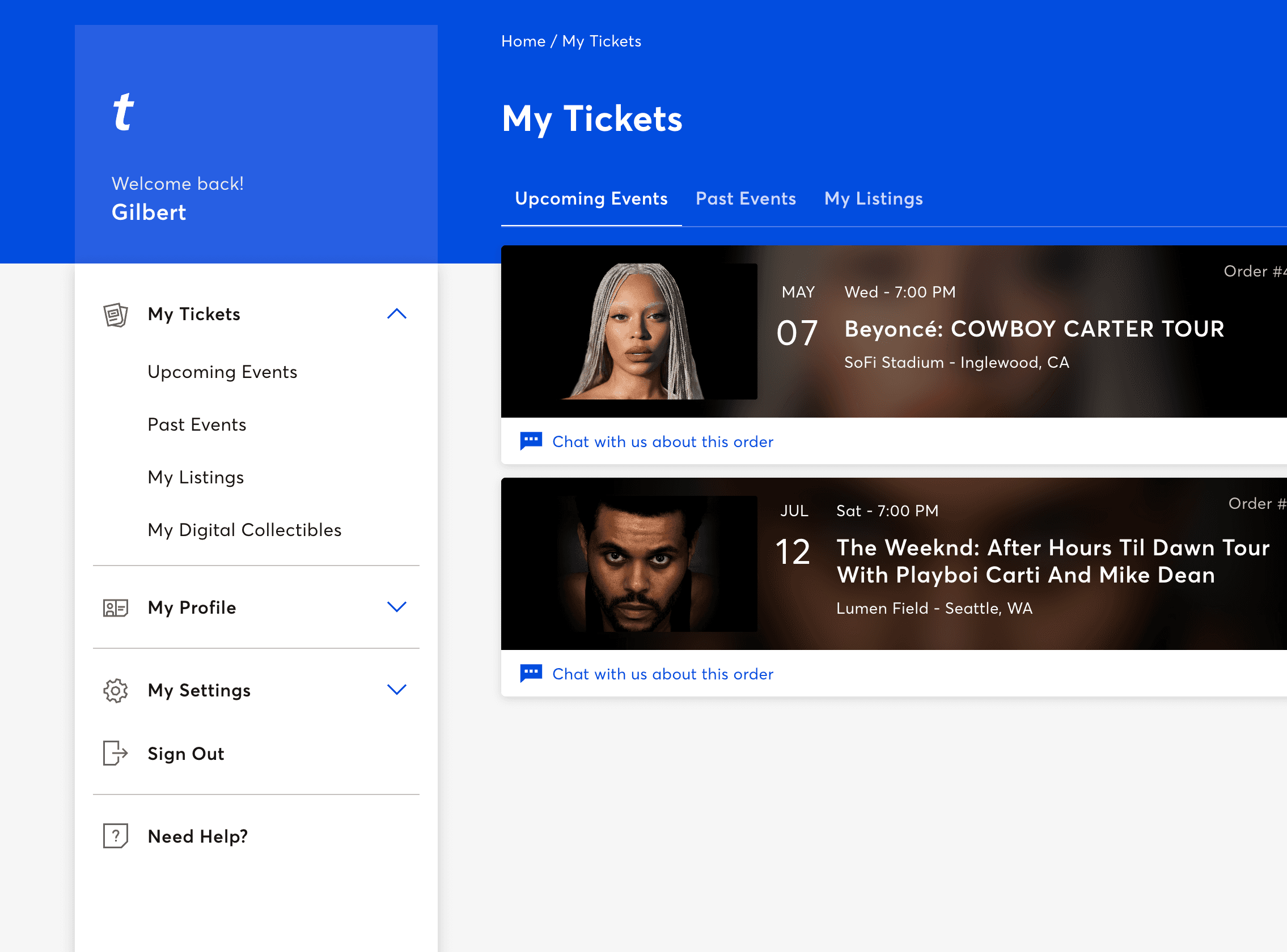
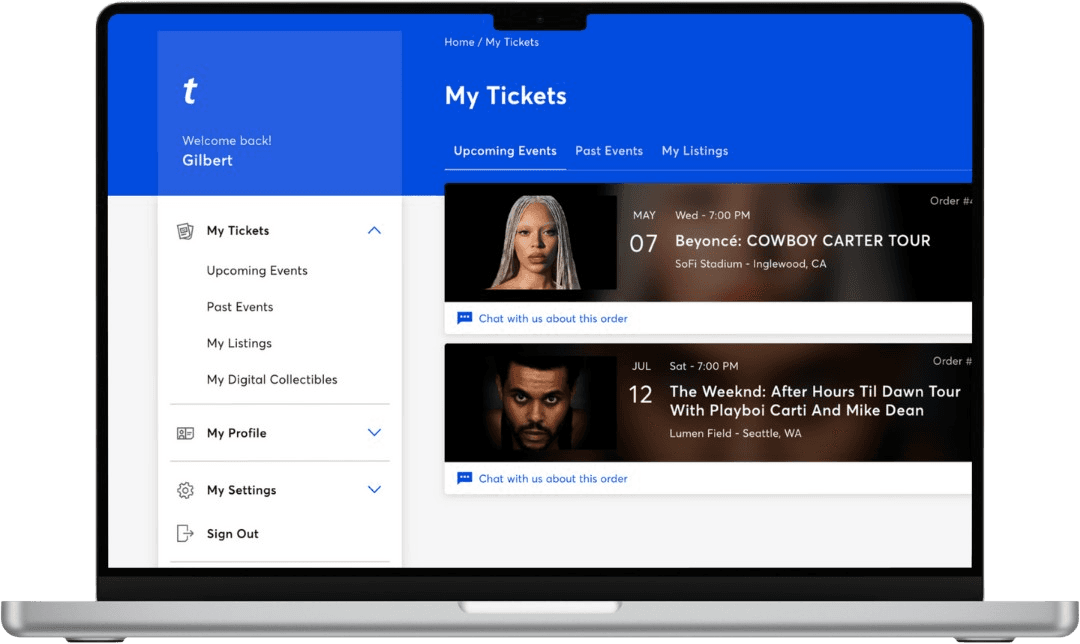
This case study examines how an accordion component functions across three different applications: Ticketmaster Account Details (Website), The Sims 4 Simology Panel (Game), and Brown University QuestBridge FAQ (Website).
#figma #ui/ux #user_research #accessibility
*ੈ✩‧₊˚༺☆༻*ੈ✩‧₊˚ current designs *ੈ✩‧₊˚༺☆༻*ੈ✩‧₊˚
how do we use an accordion?
Accordions are interactive UI components that organize content into expandable and collapsible sections, improving readability and navigation. Their effectiveness depends on three key factors: learnability, efficiency, and memorability.
learnability
A well-designed accordion should be easy to understand through clear visual cues, intuitive placement, and familiar interaction patterns.
efficiency
Efficiency is enhanced when users can quickly expand or collapse sections with minimal effort, such as through keyboard shortcuts or click-based interactions.
memorability
Consistent design allows users to easily recall how to interact with the accordion after their first use, reducing cognitive load.
input/output analysis
I examined three applications that incorporate accordions to explore how different input and output methods affect the user experience.
ticketmaster account details
learnability
The accordion layout is easy to learn, utilizing common conventions like clicking to open and close sections. Each section content is a button to load a related subpage, making navigation intuitive.
memorability
The repeated accordion structure helps users memorize where to find account details. Sections remain open until manually closed, aiding content retention.
efficiency
The accordion avoids overwhelming the interface with too many sections and content, reducing unnecessary scrolling.
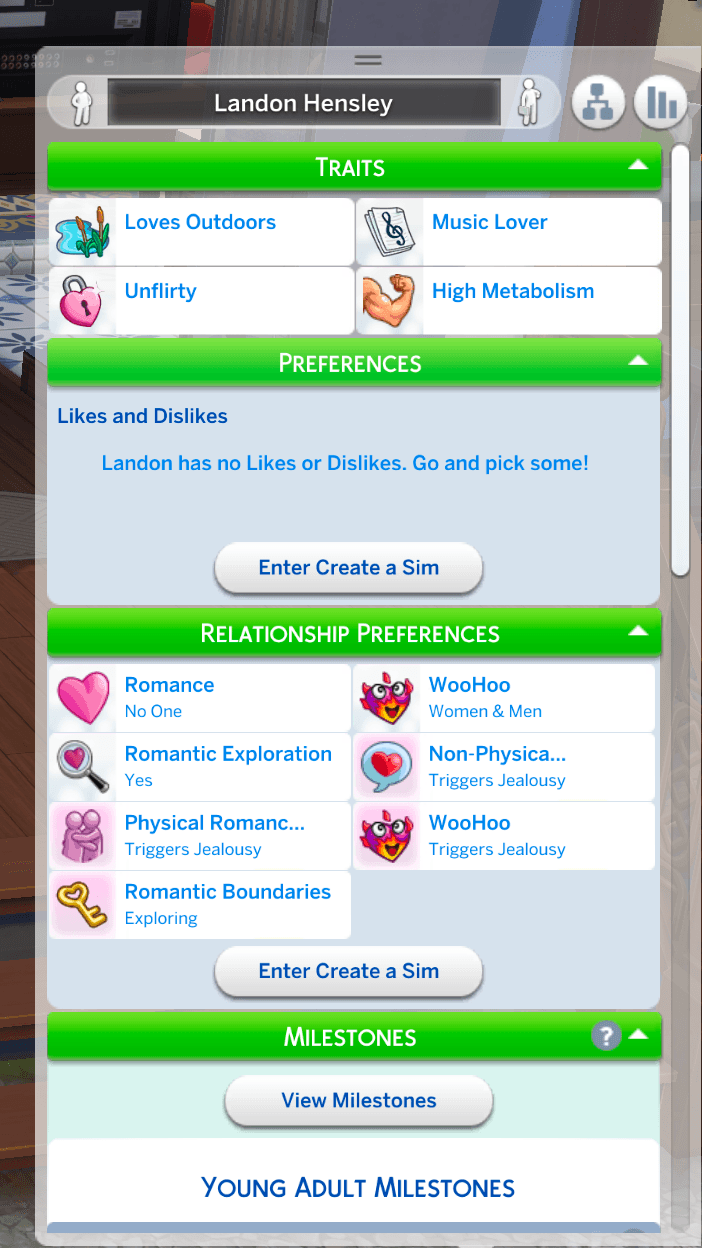
the sims 4 simology panel
learnability
Easy to use with common click-to-open conventions. Content in sections is formatted well with hover states that explain relevant information.
memorability
Players easily remember the layout since the accordion format stays consistent. A keyboard shortcut (Y) adds another memorable access method, though many sections can complicate navigation.
efficiency
Fast navigation by opening and closing sections as needed. When all sections are open, scrolling increases — mitigated by a resizable panel via a handlebar.
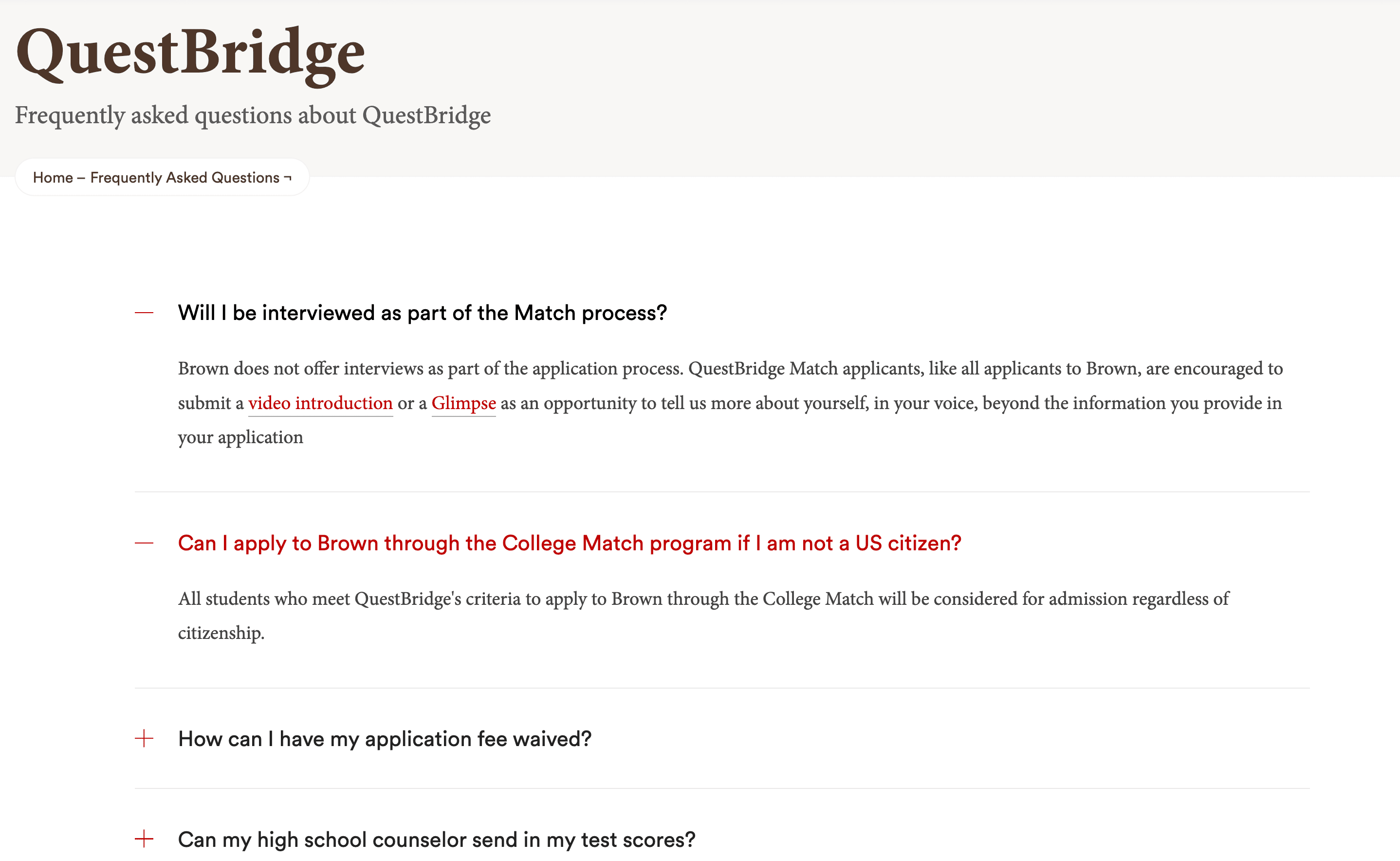
brown university questbridge faq
learnability
Natural expand/collapse structure helps users find questions quickly. Grouping similar questions would further simplify learning.
memorability
Simple, common structure is easy to recall. Since FAQs are accessed infrequently, users can still return and navigate with ease.
efficiency
Reduces clutter by hiding answers until needed. A search option would further improve efficiency given more questions.
*ੈ✩‧₊˚༺☆༻*ੈ✩‧₊˚ redesign *ੈ✩‧₊˚༺☆༻*ੈ✩‧₊˚
Accordions are already a well-optimized UI component, balancing space usage and usability. However, by examining how users interact through mouse, keyboard, or assistive technology, we can find small but critical improvements that make it more usable, efficient, or accessible. The question is not whether it works, but whether it might work better.
initial state models
I focused on redesigning Ticketmaster's accordion component. Below are the initial state models for both mouse and keyboard interactions.
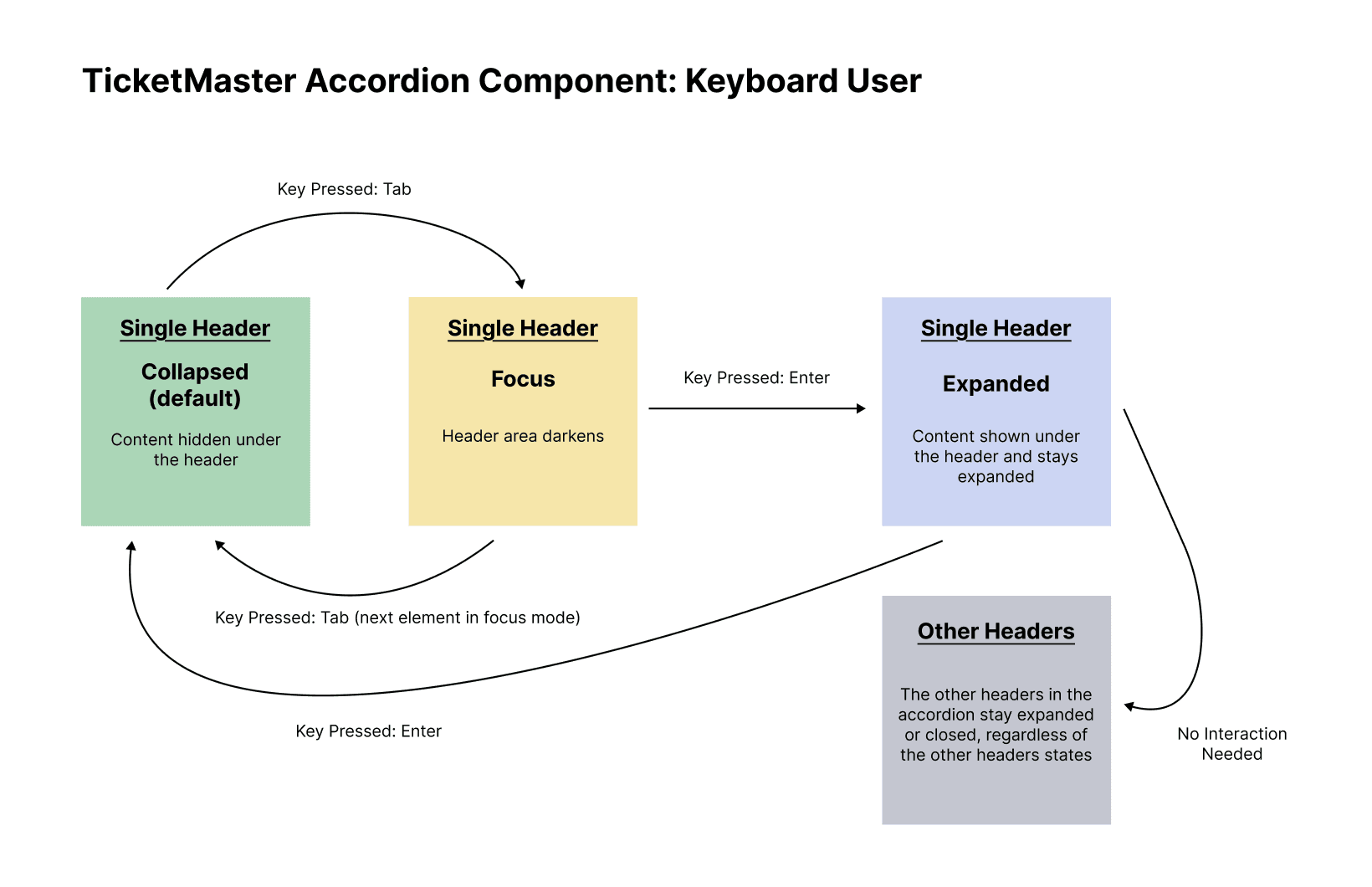
Other headers in the accordion stay open regardless of changing another header's section.
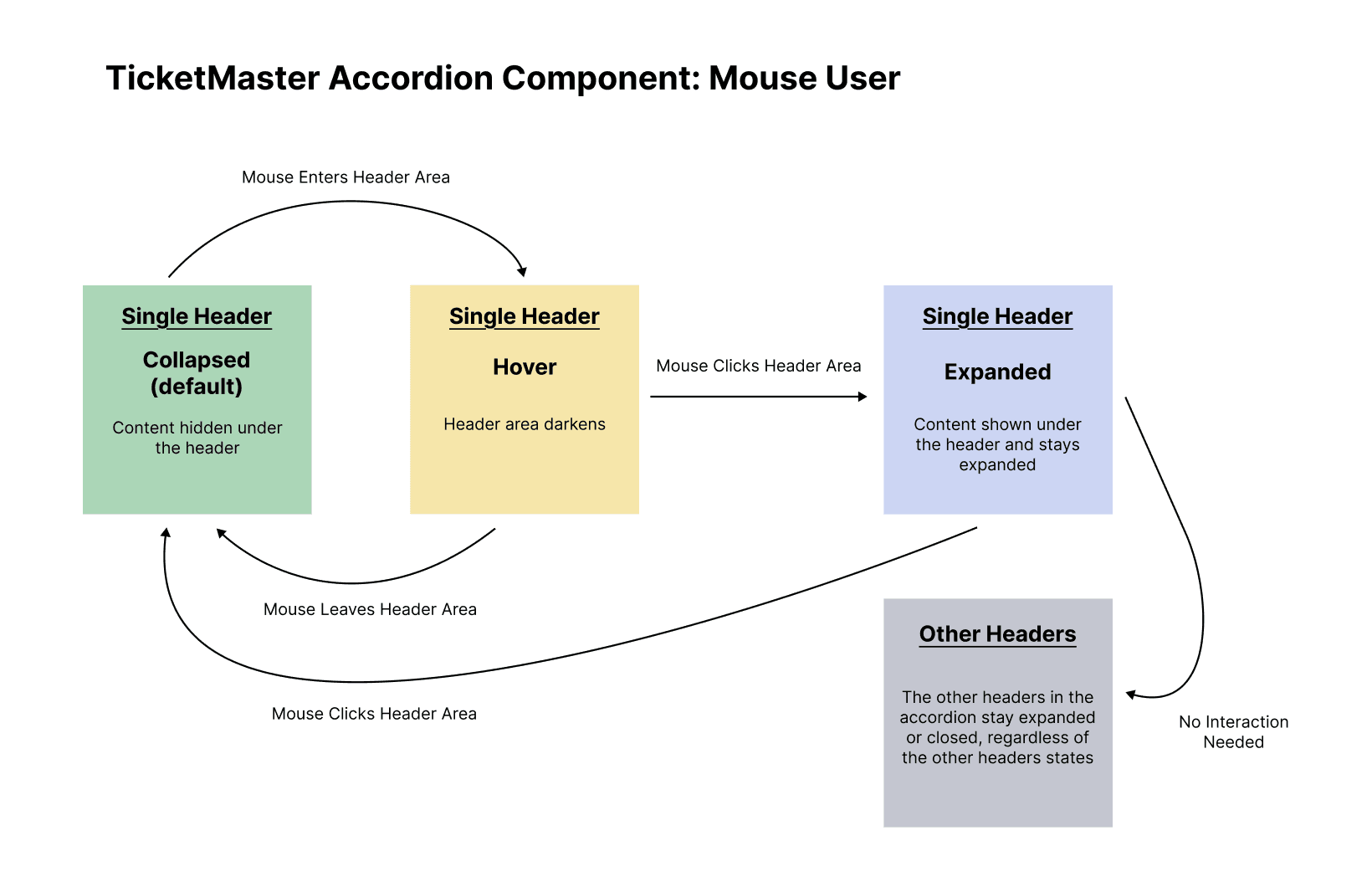
Clicking on a header does not change any other header sections in the accordion.
proposed state models
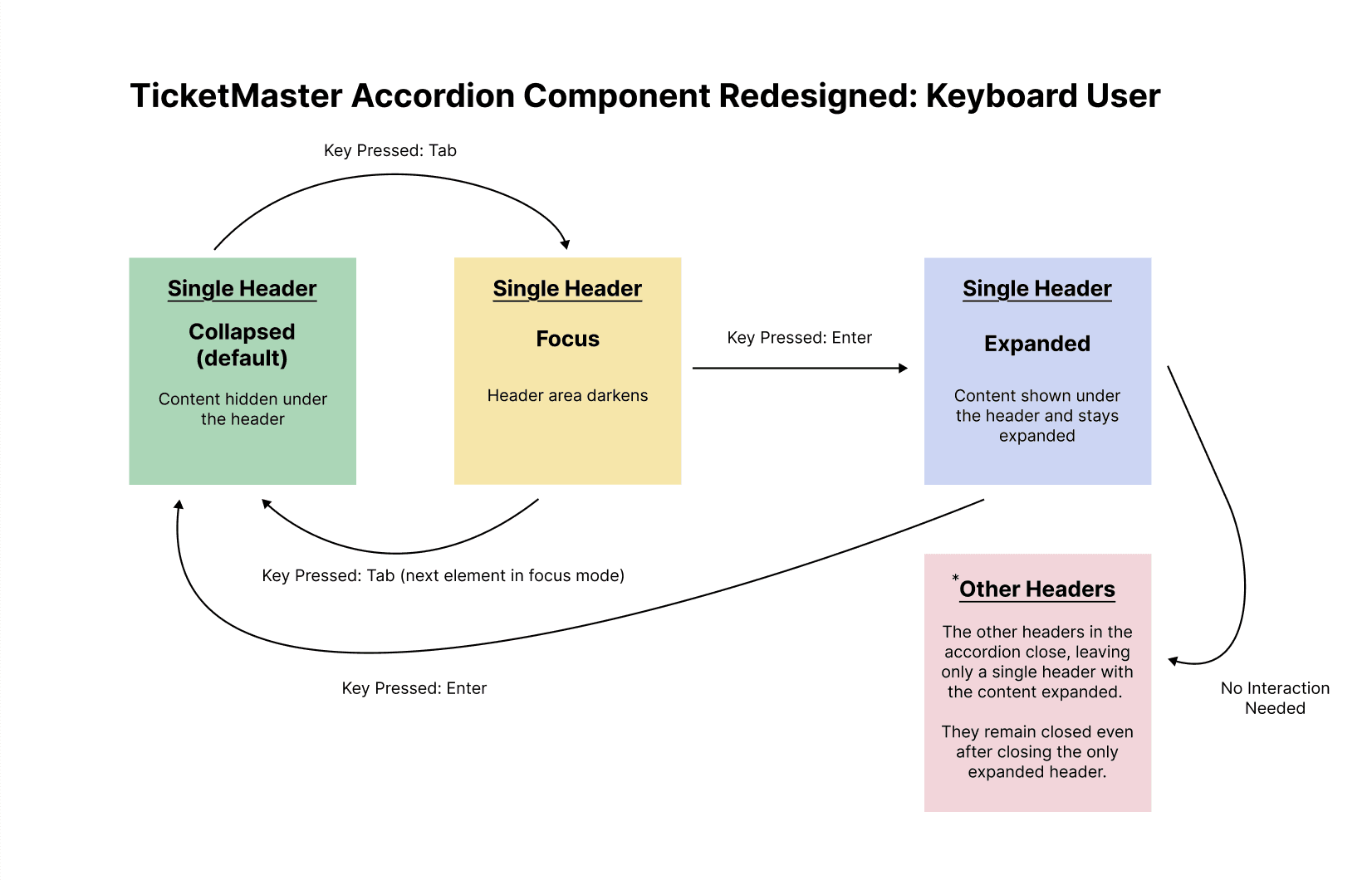
Opening a section now closes all other sections, emphasizing the current section.
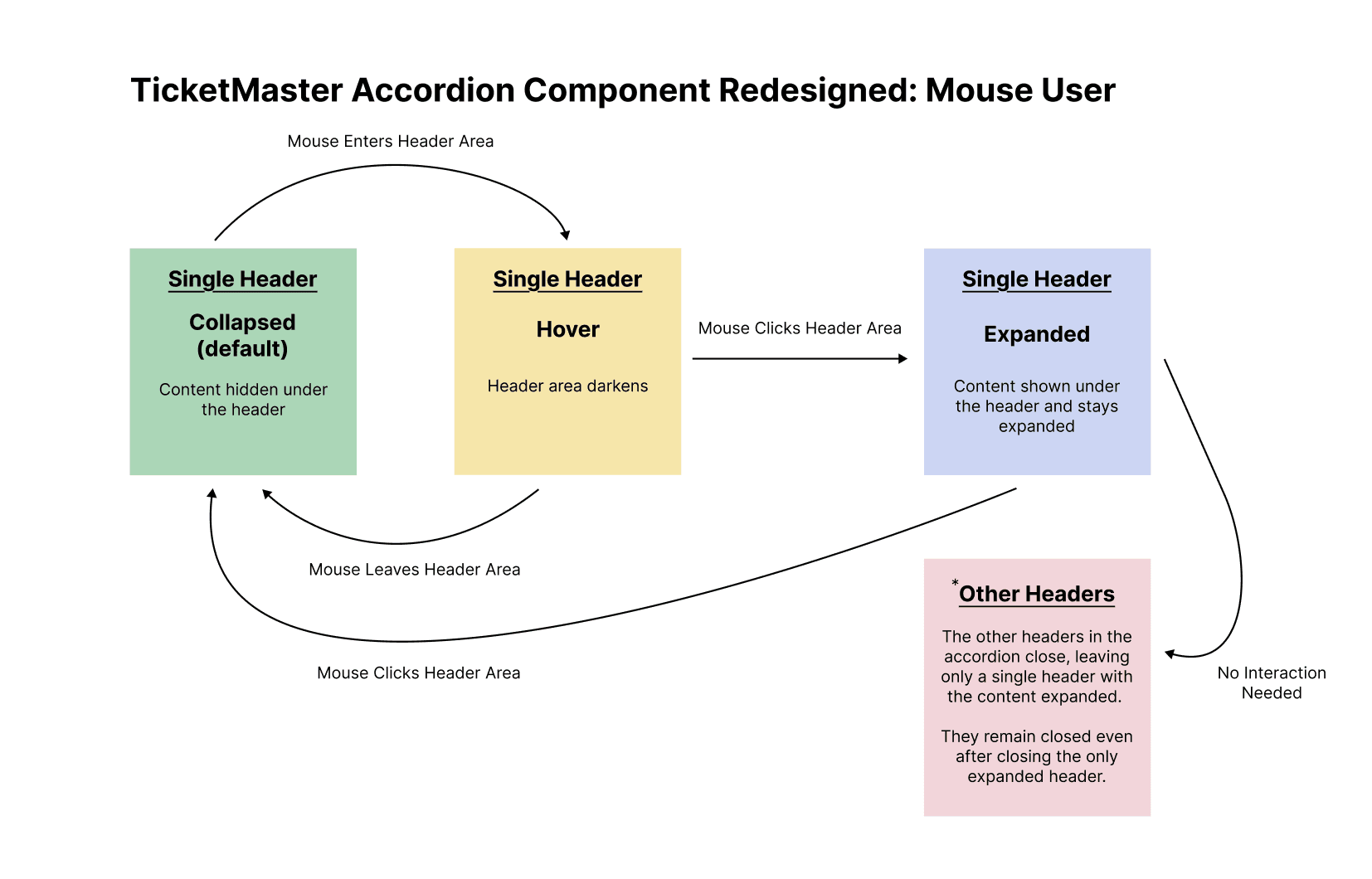
Same as the keyboard redesign — opening one section closes all others to reduce visual noise.
final mockup
Using these state models, I designed two key states for the redesigned Ticketmaster accordion in Figma.
.jpg&w=3840&q=75)
default state
All sections are closed by default, showing only the accordion headers. Trade-off: starting with every panel closed adds one extra click to see content, yet delivers a clean first view. This uncluttered layout instantly signals "click to open" (learnability), is easy to recall on return visits (memorability), and cuts initial scrolling and visual noise (efficiency).
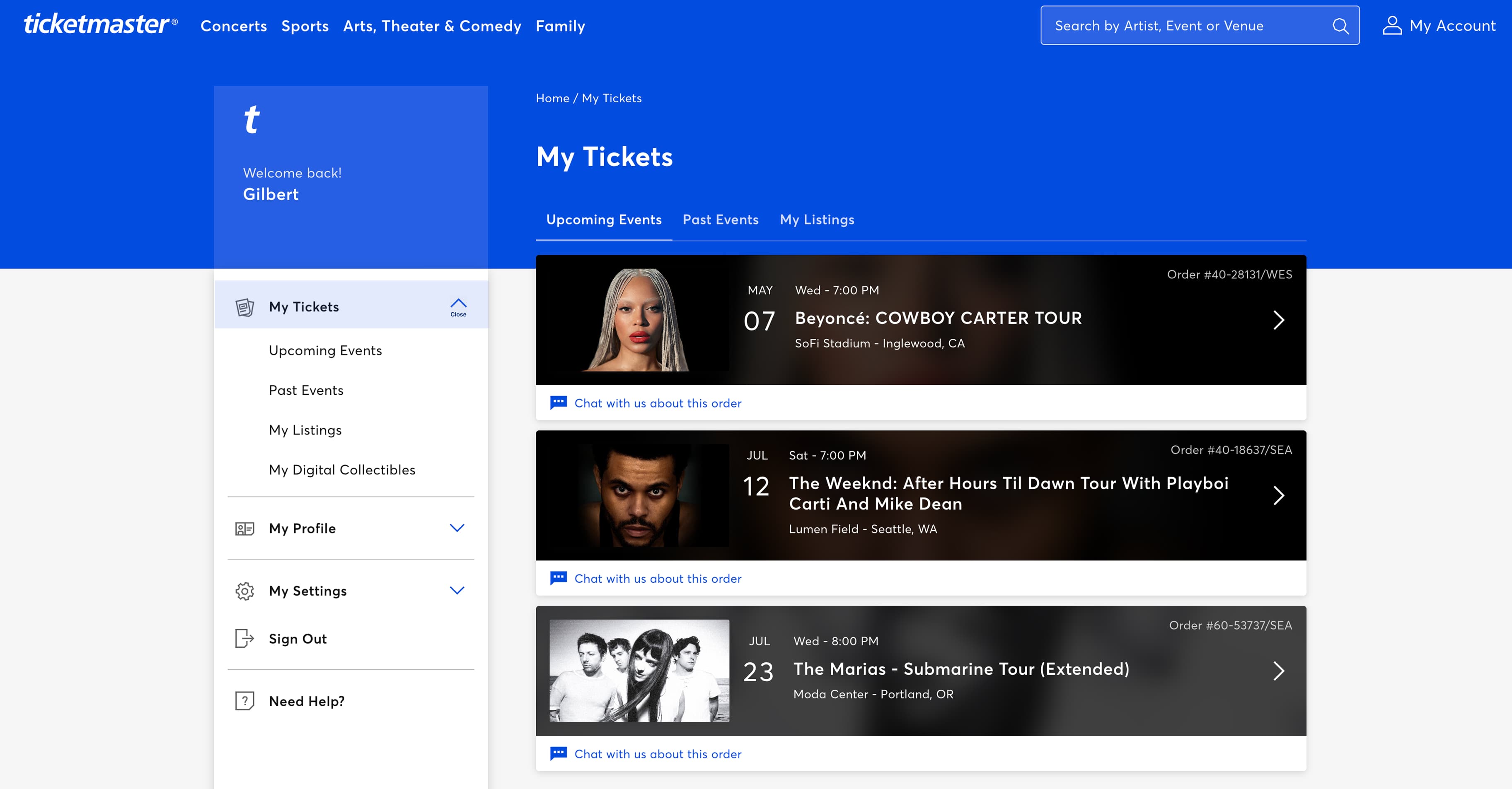
open section state
The selected section is highlighted in blue, the close chevron gets a "Close" label, and all other sections collapse. Trade-off: hiding other panels removes side-by-side comparison, but the blue highlight and "Close" label give a single, clear focal point. Users grasp the pattern at a glance (learnability), recall the "blue = open" rule on return visits (memorability), and scroll less to reach content (efficiency).
*ੈ✩‧₊˚༺☆༻*ੈ✩‧₊˚ takeaways *ੈ✩‧₊˚༺☆༻*ੈ✩‧₊˚
As a full-stack engineer who aims to build with precision, this case study clarifies how intentional accessibility improvements transform a simple accordion into an intuitive, inclusive experience.
usability strengths
- Chevrons and plus/minus toggles give clear visual cues
- Keyboard operability via Tab and Enter
- Screen-reader announcements for expanded state
redesign additions
- Visible section highlights
- "Close" labels for clarity
- Less selectable content by default
accessibility gaps addressed
- Contrast ratios met for all text and icons
- "Close" label added for screen readers
- Closed-by-default reduces cognitive load for users with visual or cognitive impairments
By closing all panels by default and emphasizing one section at a time, we removed visual clutter and supported users with cognitive or visual impairments who need a clear focal point. This case study demonstrates how a focused, iterative redesign — grounded in accessibility research — can evolve an already well-designed accordion into an even more universally intuitive interface.